
AlienVoIP Omnichannel Analytics brings WhatsApp conversations, AI chatbot activity and Cloud PBX call records into one simple management view. Business owners can quickly see what is working, which agent needs support, and where customers are being missed.
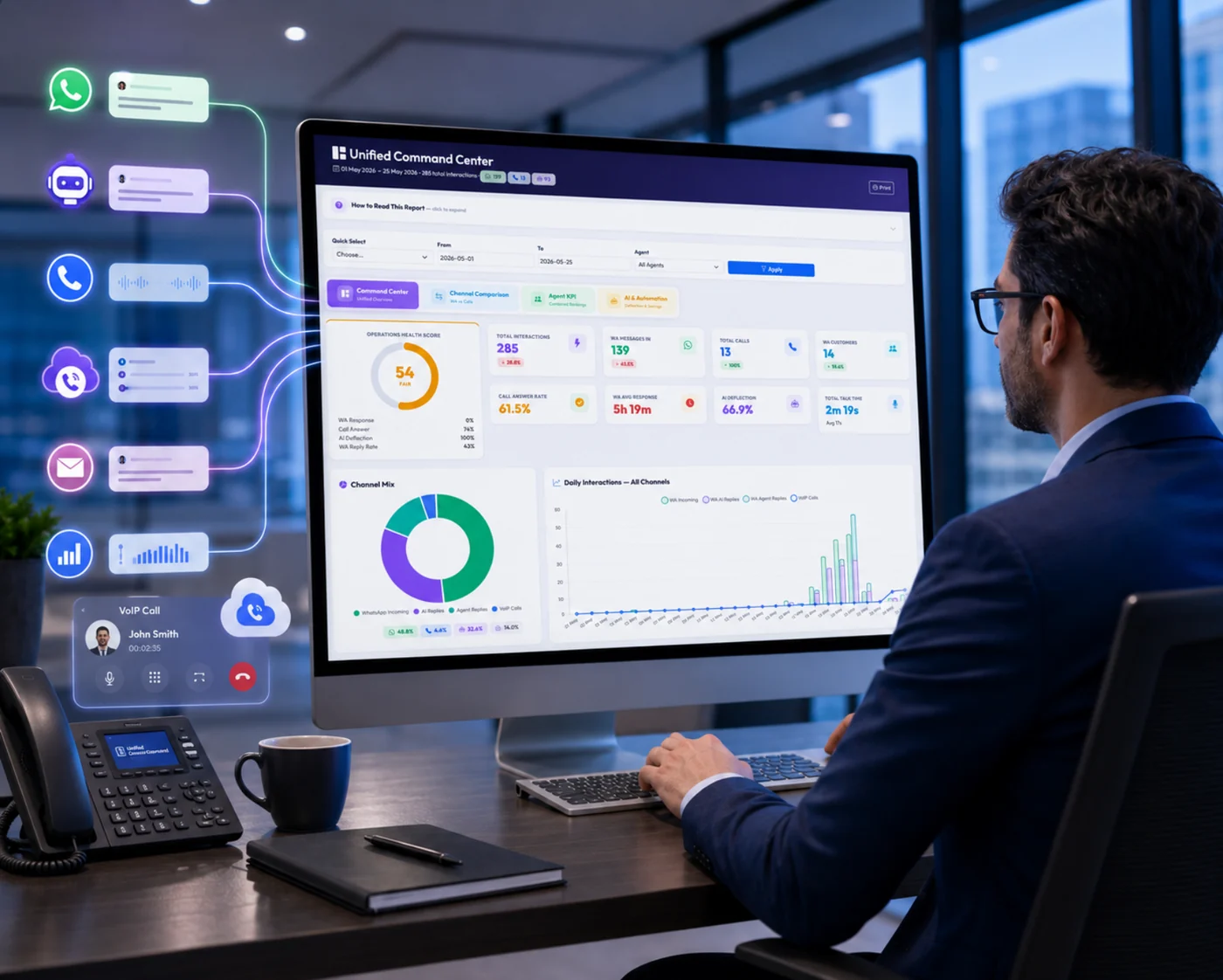
Screenshot placeholder: Unified Command Center showing health score, KPI cards, channel mix and daily activity trend.
When WhatsApp, AI chatbot and phone call reports are checked separately, management only sees part of the story. That makes it harder to know whether your team is replying fast enough, answering calls properly, and following up with customers completely.
Customers message your team, agents reply, and AI may answer first. But without a combined dashboard, response speed and follow-up quality are difficult to measure.
AI may reduce workload by answering repeated questions, but owners still need to know how many cases were handled by AI and how many needed human takeover.
Some customers still call directly. You need to see answered calls, missed calls, talk time and agent performance together with WhatsApp activity.
The page is structured around the same key analytics modules: Command Center, Agent Scorecard, Customer Journey, and SLA & Capacity. Each one is designed to answer a real business question quickly.
See the overall health of your customer service operation from one dashboard. Perfect for owners who want a quick daily view without checking multiple reports.
Compare agent workload and performance across WhatsApp replies and phone calls. This gives managers a fairer view of staff contribution.
View every customer touchpoint in order — WhatsApp, AI reply, agent reply and call activity — so your team understands the full enquiry history.
Know when customers are waiting too long, when calls are missed, and which hours need more manpower. Plan staffing based on real demand.
This is the daily dashboard for business owners and managers. Instead of opening separate WhatsApp reports, AI reports and PBX call records, you get a clear summary of overall customer service performance in one place.
“Are we handling customer enquiries properly today, and where do we need to improve?”
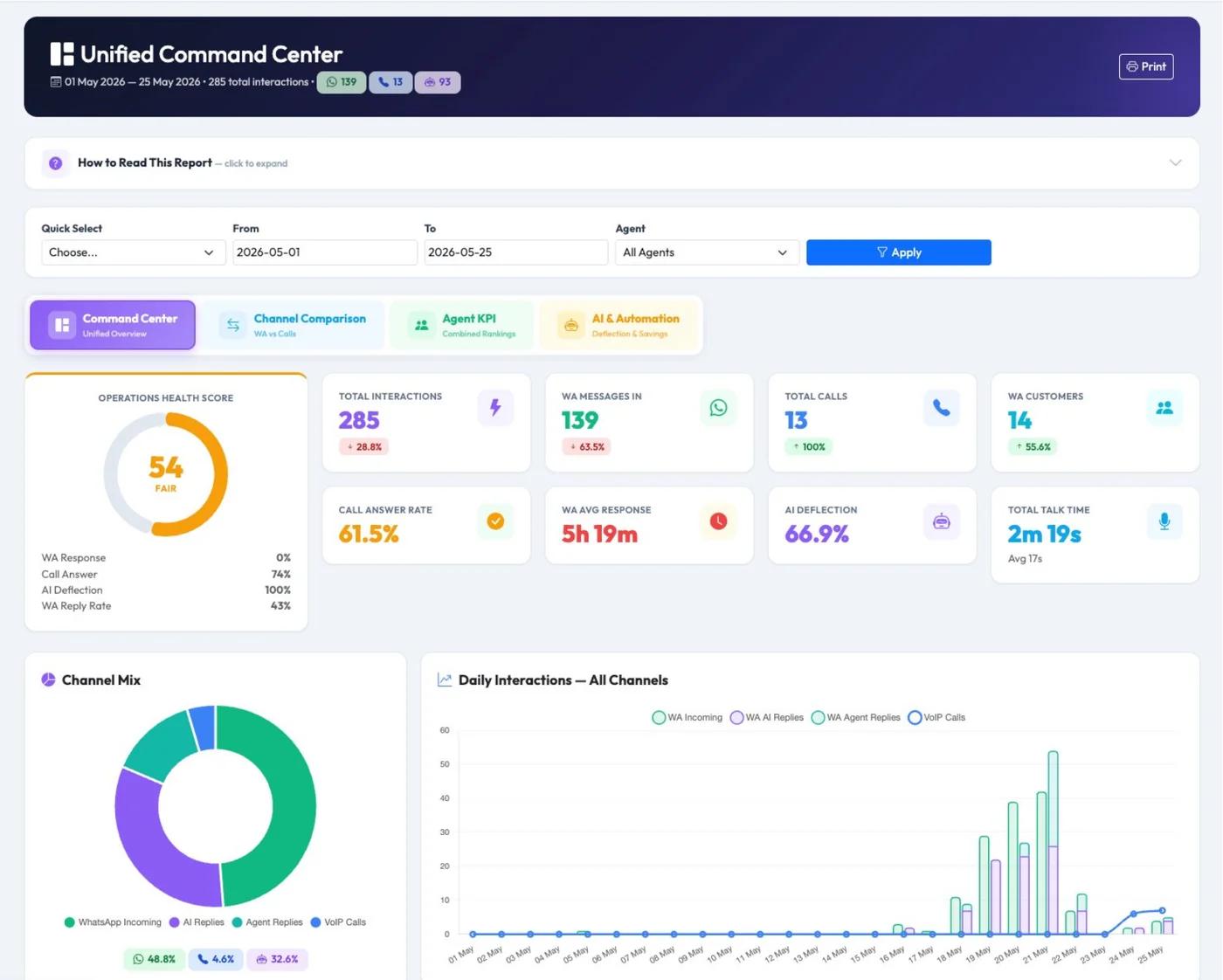
Command Center screenshot: operations health score, KPI cards, channel mix chart and daily interaction trend.
-web.webp)
Channel Comparison: compare WhatsApp and Cloud PBX call activity side by side.
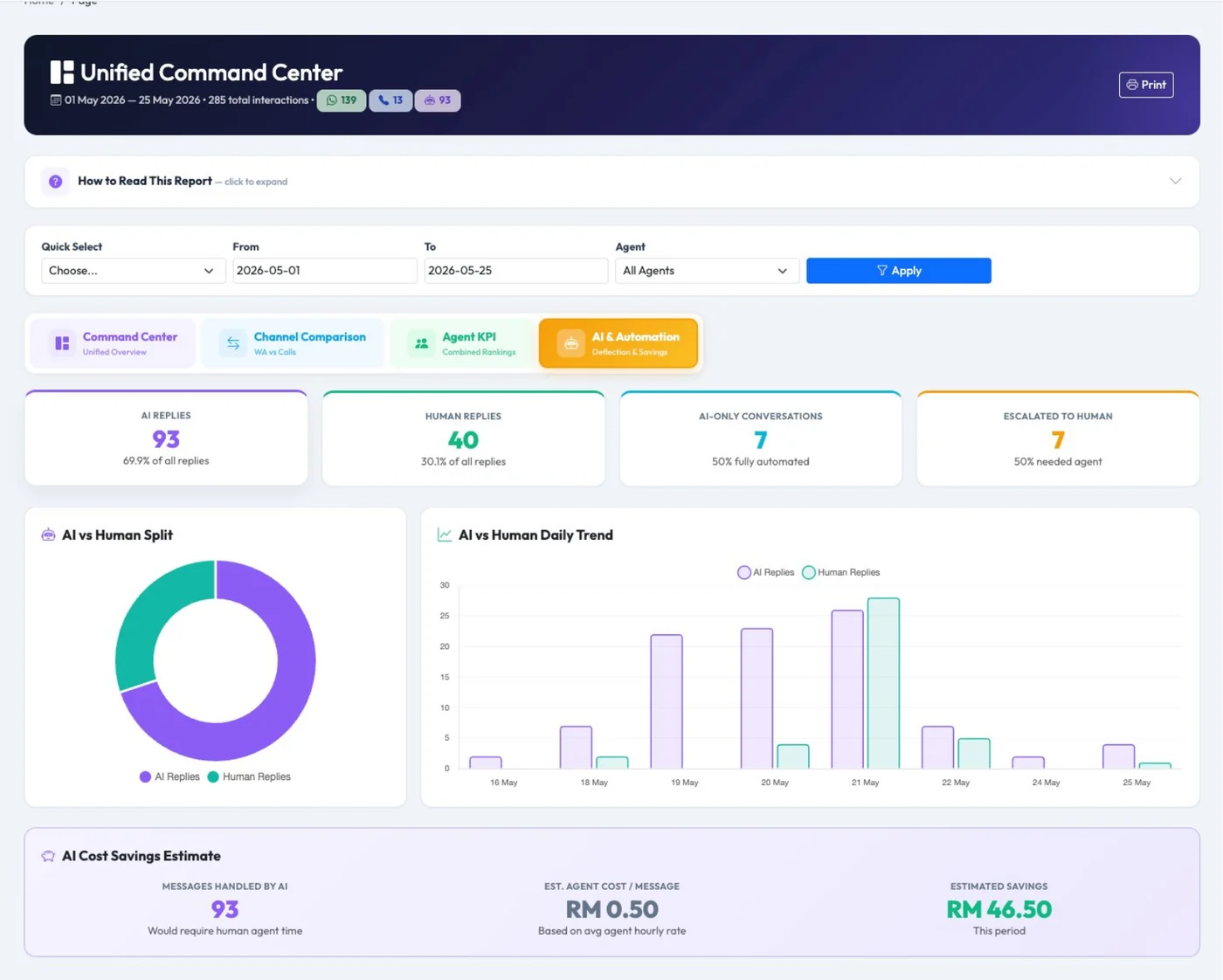
AI & Automation: understand AI handling, human takeover and estimated workload savings.
Instantly know whether your enquiry handling is healthy, average or needs urgent attention.
Track total interactions, WhatsApp volume, calls, customers, answer rate and response speed.
See whether customers prefer messaging, calling or AI-assisted self-service.
Understand how much workload is handled by AI before your agents step in.
A good agent may handle many calls but fewer WhatsApp replies. Another agent may reply many WhatsApp messages but answer fewer calls. Agent 360° Scorecard combines both channels so management can review staff performance more fairly.
“Who is handling the most customers, who is overloaded, and who needs coaching?”
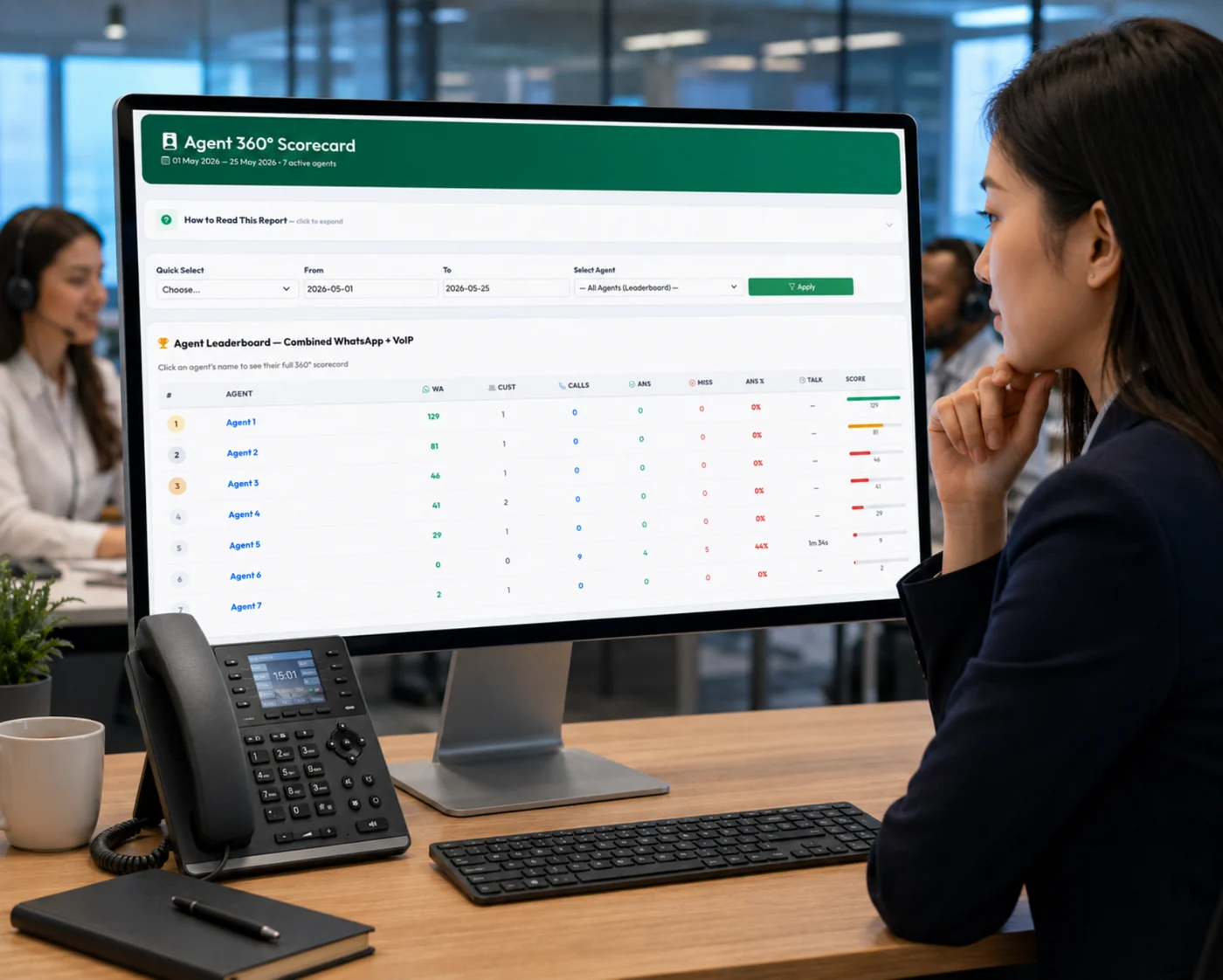
Agent leaderboard: compare agents by combined WhatsApp and phone call activity.
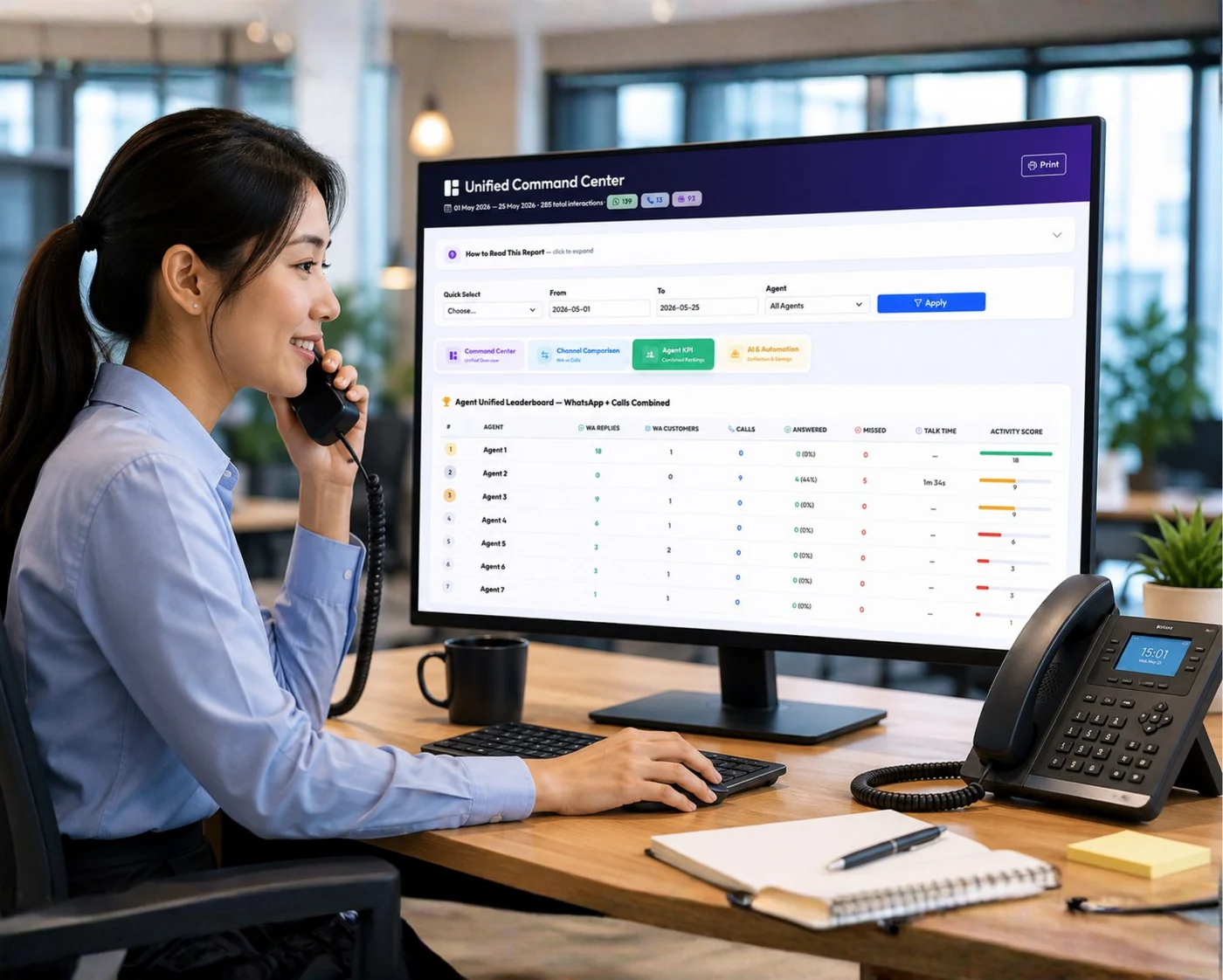
Unified Agent KPI: WhatsApp replies, customers handled, answered calls, missed calls and talk time.
Rank agents by workload, activity and performance so team leaders can identify top performers and support weaker staff.
Track answered calls, missed calls, answer percentage and talk time to improve call center quality.
Measure WhatsApp replies and customers handled so chat-based work is included in agent evaluation.
Customers often message first, then call later, or speak to AI before reaching an agent. The Customer Journey Timeline helps your team see the full conversation history instead of making decisions from incomplete information.
“What happened with this customer before we follow up or reply?”
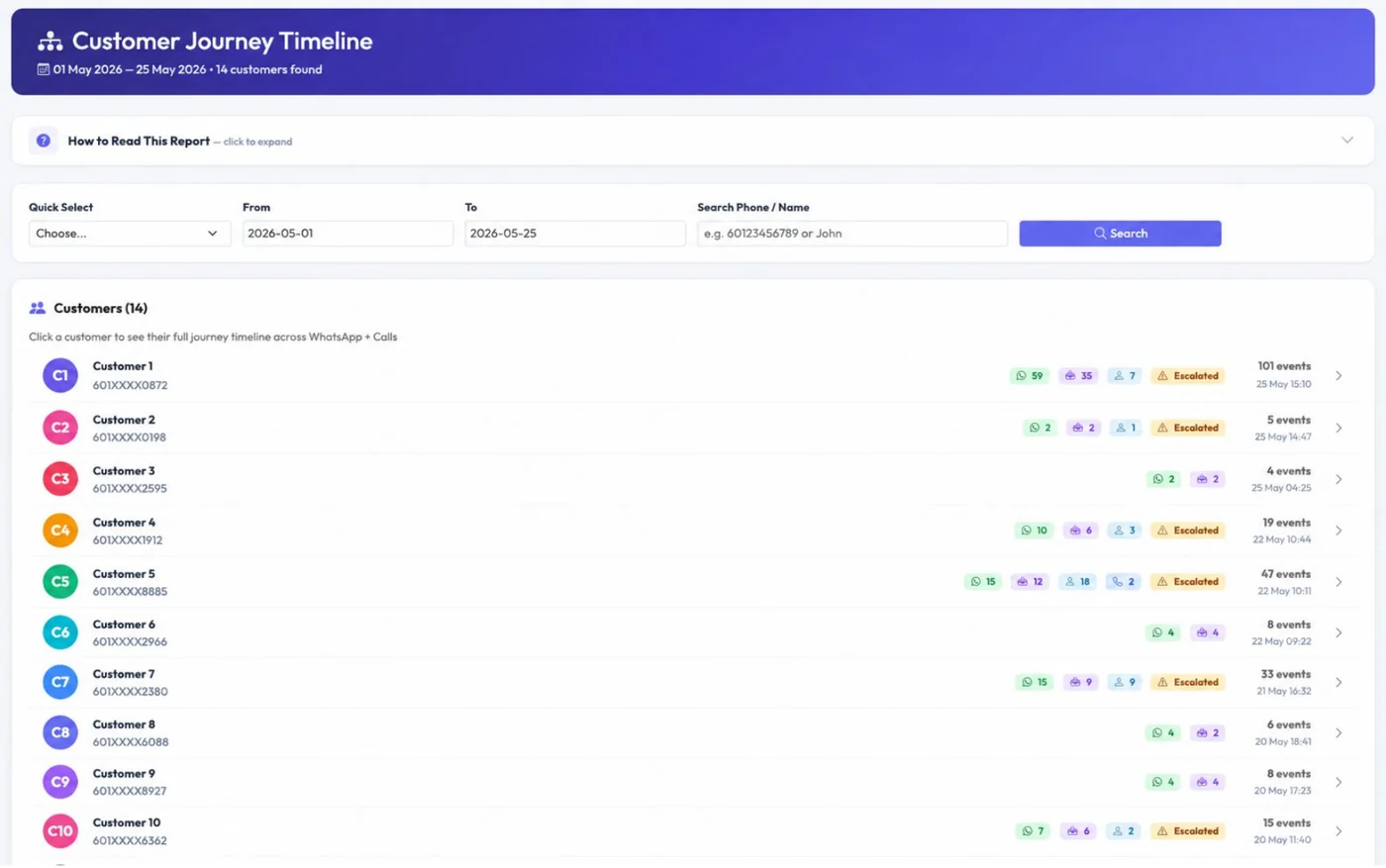
Customer list: see which customers interacted through WhatsApp, AI, agent replies and phone calls.
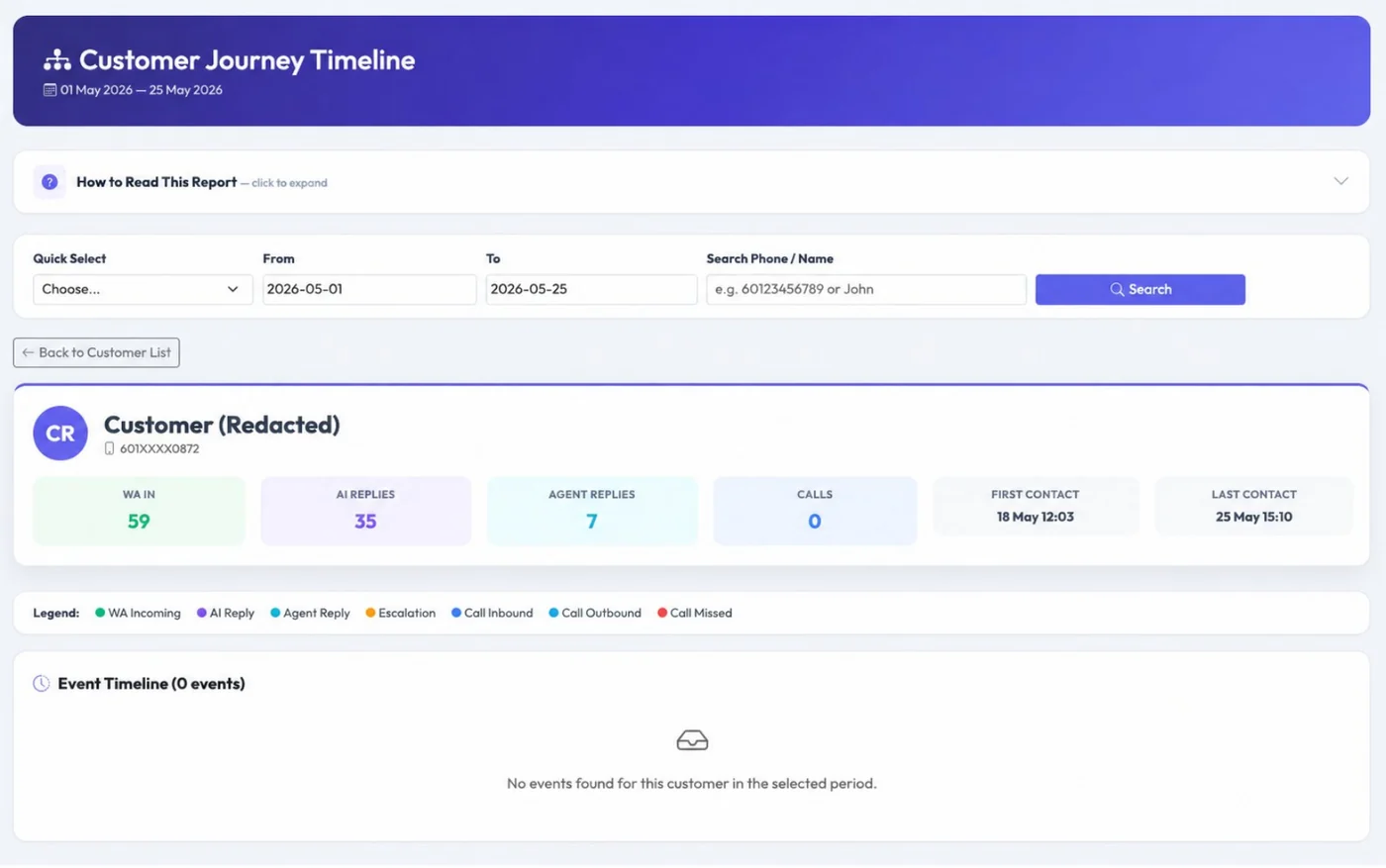
Customer detail: full timeline of WhatsApp messages, AI replies, agent replies and call records.
Quickly check a customer’s previous activity before replying, quoting or calling back.
See WhatsApp, AI, agent reply, escalation and call events in chronological sequence.
Agents can continue the conversation with context, reducing repeated questions and improving customer confidence.
SLA & Capacity Planning helps you reduce missed enquiries by showing when response time is poor, when call answer rate drops, and which hours need more staff. It turns customer service data into manpower planning.
“Are customers waiting too long, and do we have enough people during peak hours?”
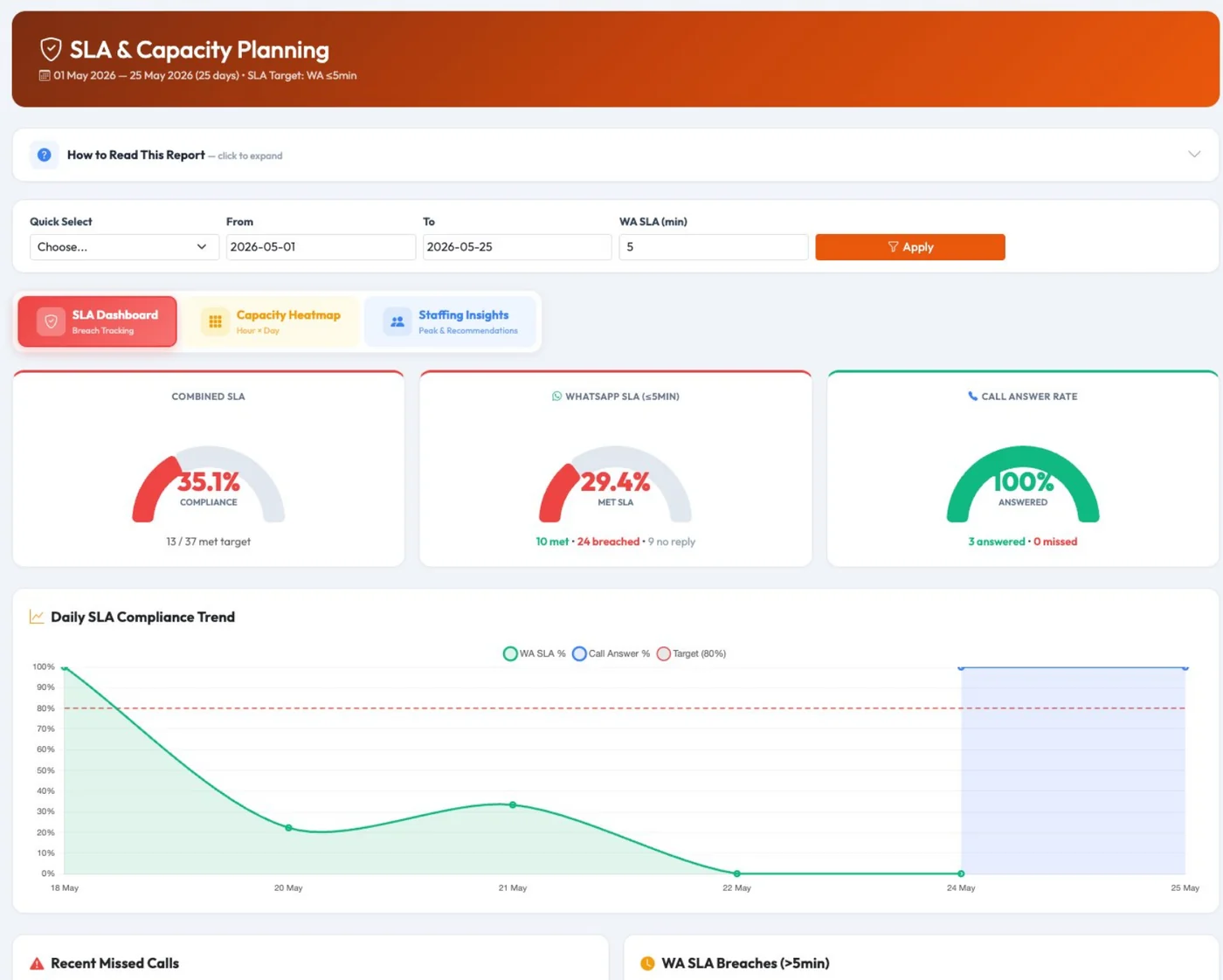
SLA Dashboard: combined SLA, WhatsApp response SLA and call answer rate.
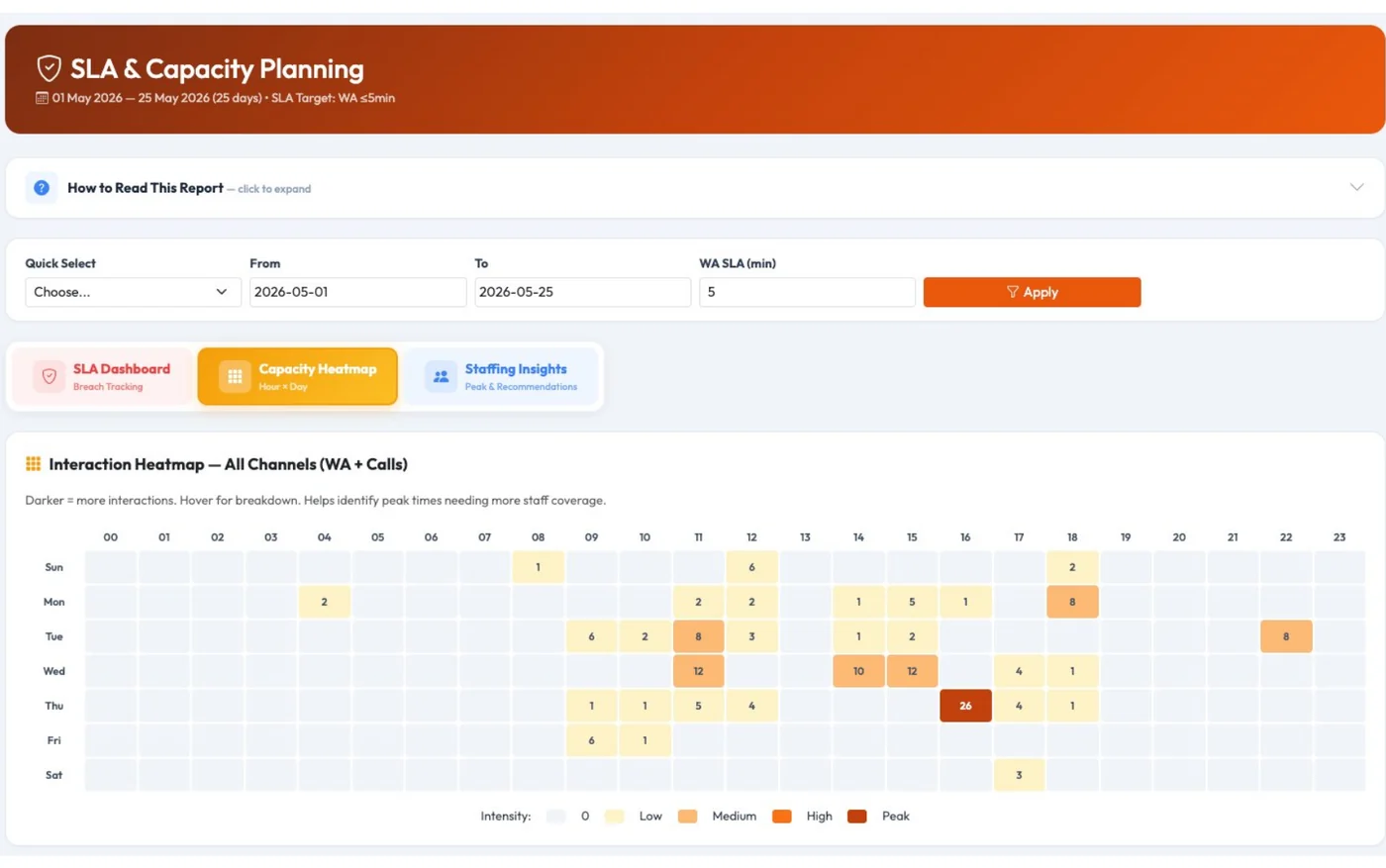
Capacity Heatmap: identify busy hours and low-activity periods by day and time.
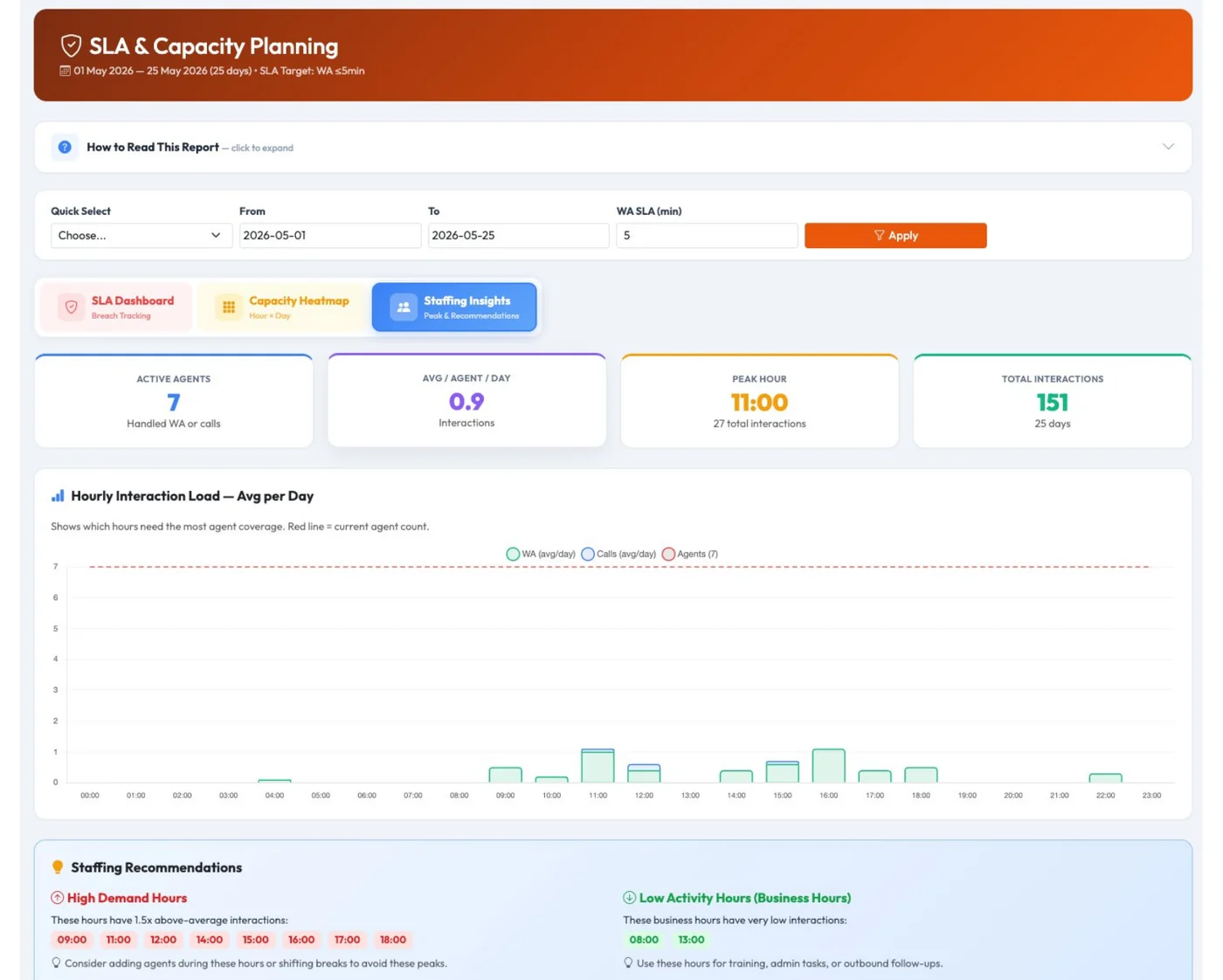
Staffing Insights: automated recommendations for peak-hour manpower planning.
View service response performance clearly with visual indicators for management review.
Understand which days and hours have the highest customer interaction volume.
Use real customer demand patterns to plan staff shifts and reduce missed opportunities.
Omnichannel Analytics is not just a report. It is a management tool that helps you protect sales opportunities, manage staff fairly, and improve customer experience across phone calls and messaging.
Management no longer needs to open separate WhatsApp, AI and PBX reports just to understand daily performance.
Agents are measured by both chat and call workload, not only one channel.
Missed calls, slow replies and SLA issues become easier to detect before they affect sales.
Your team can check the complete customer journey before responding or following up.
Use peak-hour data to decide when more staff are needed for calls and WhatsApp support.
Clear visibility helps your team follow up faster and avoid losing prospects due to poor response.
AlienVoIP Omnichannel Analytics is suitable for businesses where missed calls, slow replies or poor follow-up can directly affect sales and customer satisfaction.
Monitor response time, workload and service quality across channels.
Track enquiries, follow-up activity and missed opportunities more clearly.
Compare branches, agents and enquiry volume from a central dashboard.
Understand how AI supports your team and when human takeover is needed.
Let AlienVoIP help you connect WhatsApp, AI chatbot and Cloud PBX call analytics into one easy-to-understand dashboard for better business decisions.